Guide · updated 5 November 2026
Reconcile HubSpot invoices with Xero at month end
Sales raises invoices in HubSpot; finance closes the month in Xero or QuickBooks Online. Before the close, the two lists should agree invoice by invoice. This is a routine that takes minutes instead of an afternoon of VLOOKUPs.
Run the free check See a sample report
Free for up to 150 HubSpot invoices per run, no sign-up. Files are read in your browser and never uploaded.
The routine
- Fix the period. Use the same dates on both sides; invoices outside the other side's dates are shown as "outside the date range", not as missing.
- Get both lists. Connect HubSpot and Xero read only, or export HubSpot invoices and the Xero invoices export (or the QuickBooks Online Invoice List report).
- Run one comparison. Billtwin matches by invoice number, then by the digits of the number, then by reference, then by same customer, amount and date within seven days.
- Work the list from the top. Findings are sorted by money at risk: missing invoices and different totals first, then payment status, customer and date differences.
- Keep the evidence. Download the audit pack CSV and file it with the month's close.
What a check finds: a real run
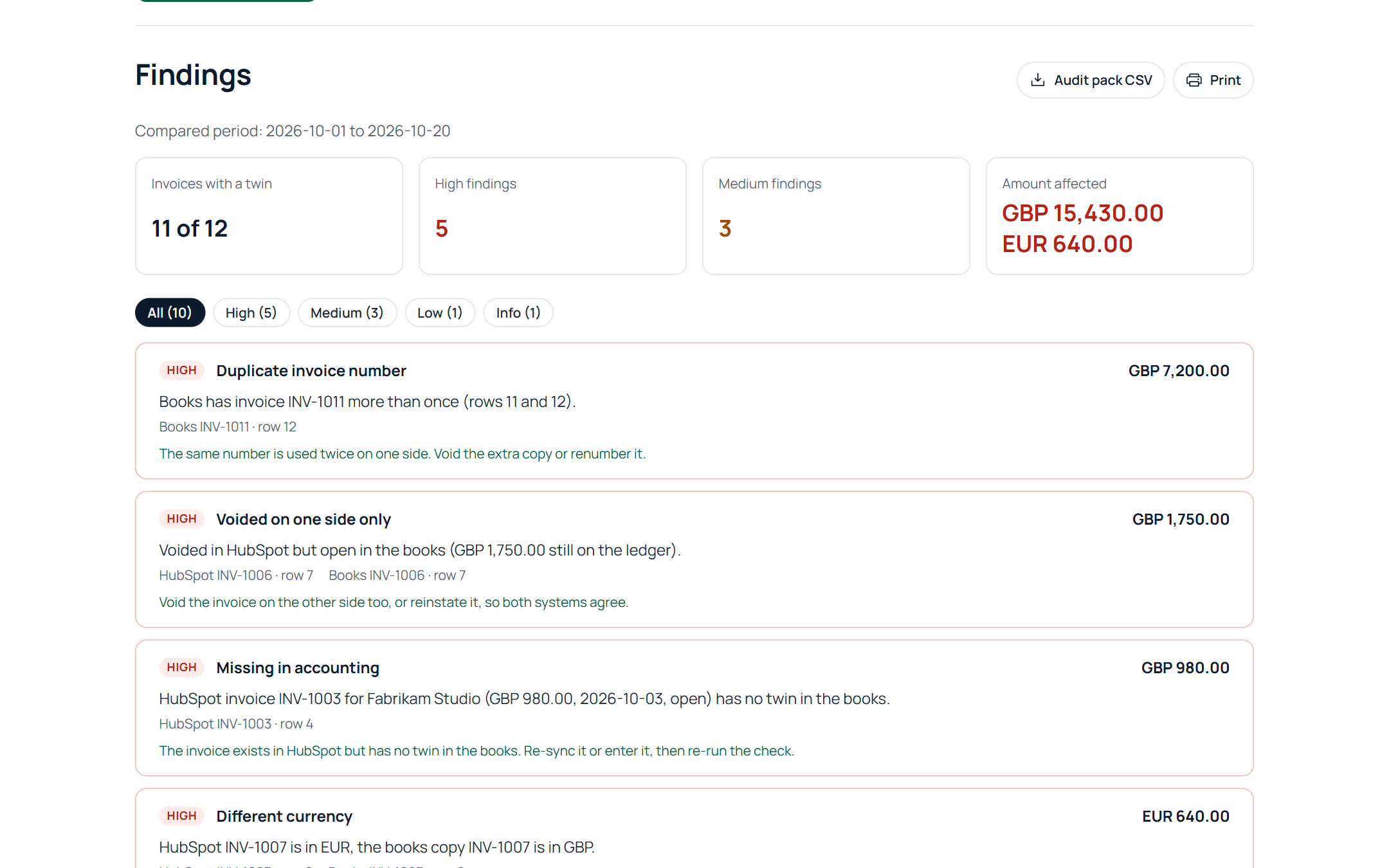
We ran Billtwin against a HubSpot account and a Xero organisation, both connected read only, on 5 November 2026. HubSpot had three invoices for the day; Xero had 35 invoices in the period. The result:
- 2 of 3 HubSpot invoices had a twin in Xero.
- Missing in accounting, USD 2,400.00: INV-1003 existed in HubSpot and never reached Xero.
- Different invoice total, USD 50.00: INV-1002 was USD 850.00 in HubSpot and USD 800.00 in Xero.
- Paid in the books, still open in HubSpot, USD 1,200.00: after a payment was recorded in Xero, INV-1001 still showed the full amount due in HubSpot.
None of the three raised an alert in HubSpot or Xero. One run listed all of them with the amount, the row on both sides and the fix.
Who usually runs it
The controller or bookkeeper the week before close, or a HubSpot partner checking a client's sync after a change. Up to 150 HubSpot invoices per run are free; Pro removes the limit so a whole month or quarter is one run.
Related: 8 reasons HubSpot and Xero invoices differ and paid in Xero, still open in HubSpot.
Run the free check See a sample report
Free for up to 150 HubSpot invoices per run, no sign-up. Files are read in your browser and never uploaded.