Guide · updated 5 November 2026
HubSpot to QuickBooks Online: find missing or wrong invoices
The QuickBooks sync shows a failed banner on the invoice, but it does not catch an invoice booked under the wrong customer or changed after it synced. Comparing the two lists does.
Run the free check See a sample report
Free for up to 150 HubSpot invoices per run, no sign-up. Files are read in your browser and never uploaded.
What goes wrong
Teams report invoices created under the wrong company in QuickBooks Online (HubSpot Community, October 2026), invoices they wanted to keep out of the sync, and totals that differ after edits. None of these raise an alert in HubSpot.
Step 1: export the same period
- HubSpot: Commerce, Invoices, then Export (CSV or XLSX).
- QuickBooks Online: Reports, Invoice List, set the dates, then Export to Excel or CSV. The report title rows are skipped automatically.
Step 2: compare
Drop both files into the check. Billtwin lists invoices missing in QuickBooks Online, numbers used twice, and differences in total, currency, customer, voided state and payment status, sorted by money at risk.
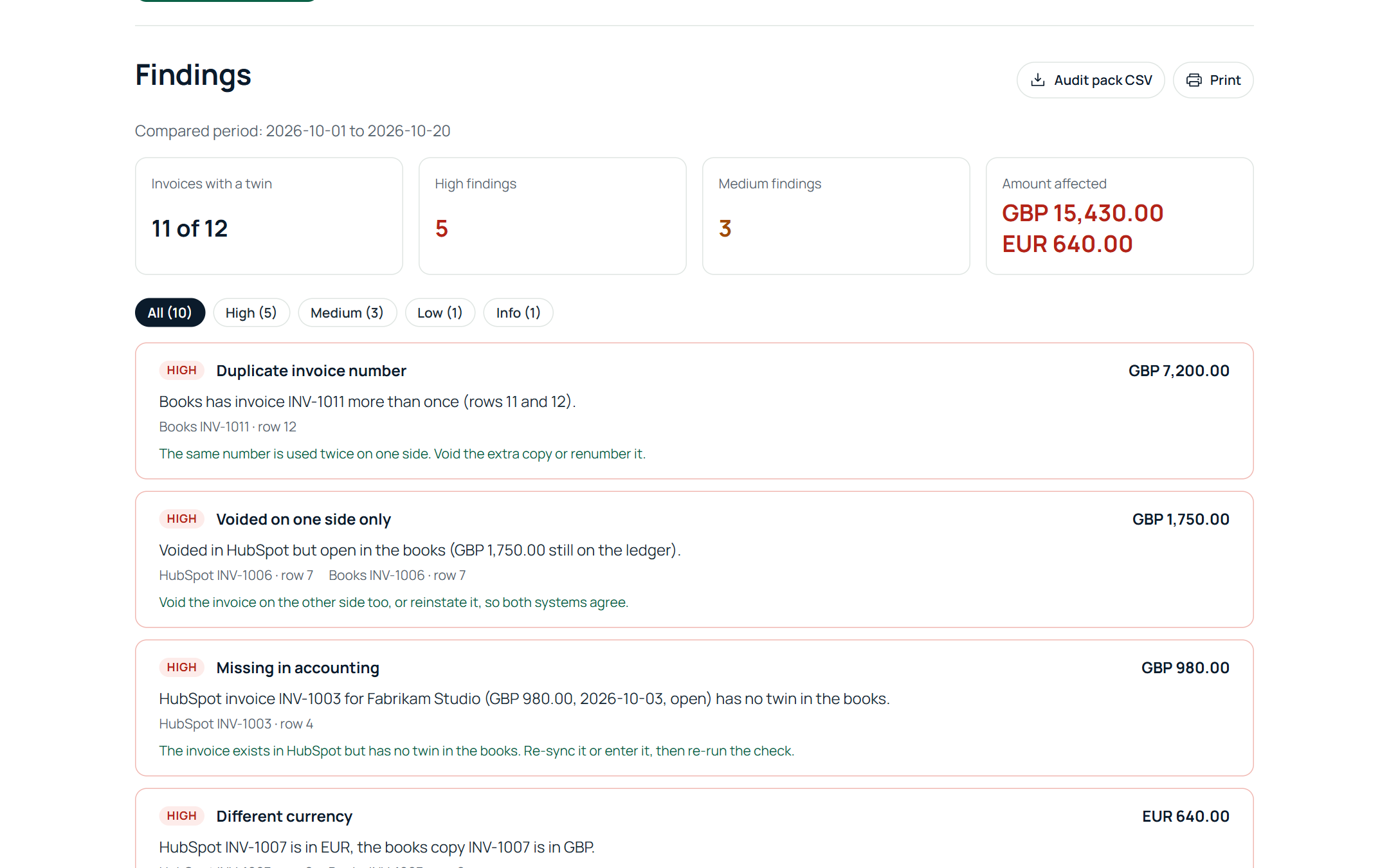
Step 3: fix and keep the evidence
Correct the wrong copies, re-run until clean, and download the audit pack CSV for your close file. Billtwin never writes to HubSpot or QuickBooks Online.
Run the free check See a sample report
Free for up to 150 HubSpot invoices per run, no sign-up. Files are read in your browser and never uploaded.