Guide · updated 5 November 2026
Paid in Xero but still open in HubSpot: find every invoice
When payment is collected outside HubSpot, the invoice gets marked paid in Xero or QuickBooks Online and stays open in HubSpot. Sales and collections then chase customers who have already paid, and receivables reports disagree.
Run the free check See a sample report
Free for up to 150 HubSpot invoices per run, no sign-up. Files are read in your browser and never uploaded.
Why it happens
Teams that take payment by bank transfer or another gateway record it in the books, not in HubSpot. In the UK, where HubSpot Payments is not offered, this is the usual setup, and getting "invoice marked paid" to flow back into HubSpot is the step people report as the sticking point (HubSpot Community, September 2026). Part payments, refunds and fees make it worse: the balance due differs on each side.
What to look for
- Paid in the books, still open in HubSpot: the customer paid; HubSpot still shows the full amount due.
- Paid in HubSpot, still open in the books: receivables in Xero or QuickBooks are overstated.
- Different balance due: a part payment or credit note exists on one side only.
List them all for a month
- Export the same period from HubSpot (Commerce, Invoices, Export) and from Xero (Business, Invoices, Export) or QuickBooks Online (Reports, Invoice List, Export).
- Drop both files into the check, or connect HubSpot and Xero read only on the check page.
- Billtwin pairs each invoice with its twin and lists every payment-status and balance difference with the amount, the row on both sides and the fix.
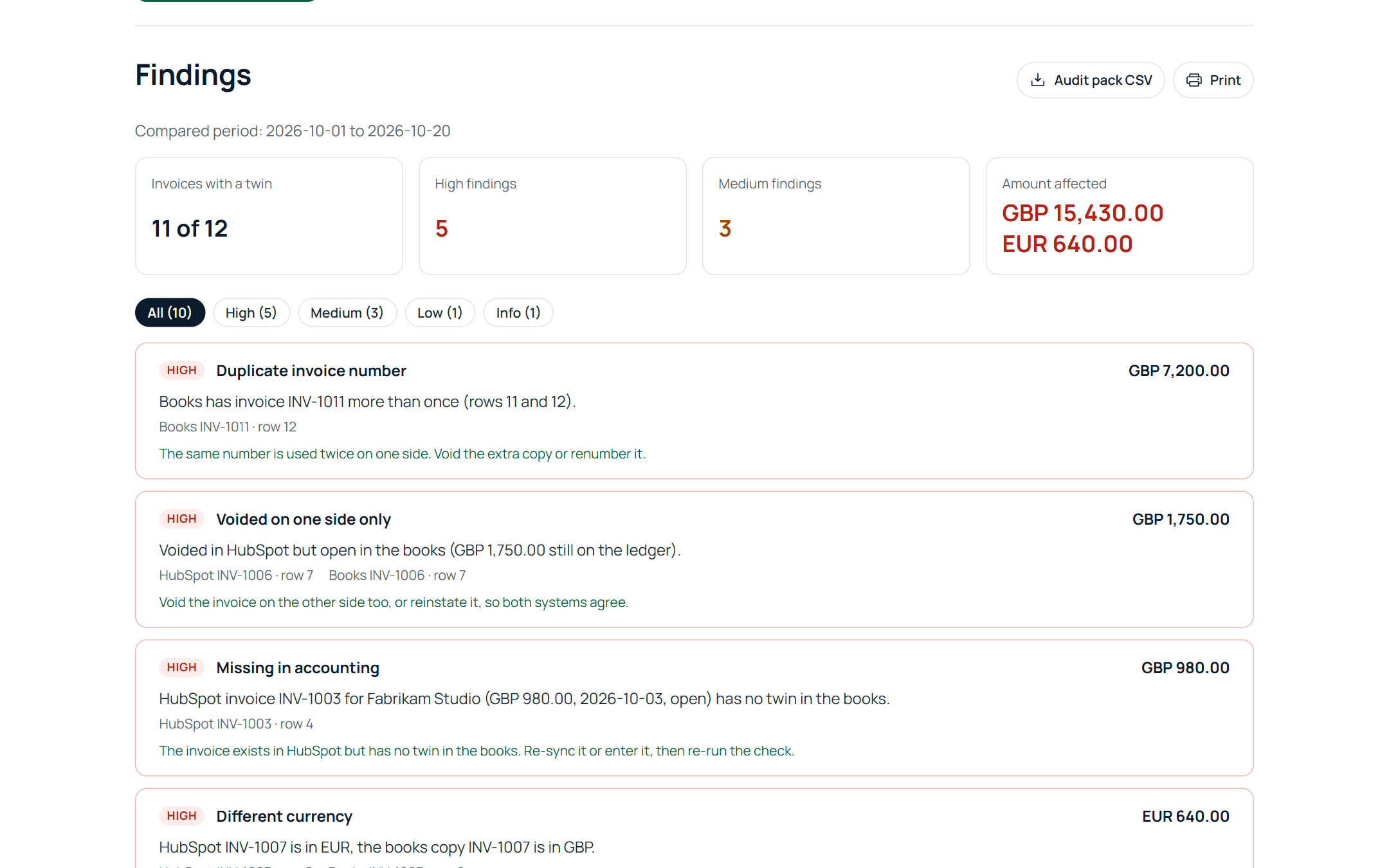
In our own test against a live Xero organisation, a payment recorded in Xero showed up as "Paid in the books, still open in HubSpot" with the USD 1,200.00 still due in HubSpot, next to a missing invoice and a different total in the same run.
Fix it once a month
Update the open invoices in HubSpot, or record the missing payments in the books, then run the check again before the close. Download the audit pack CSV for the file. Related: HubSpot invoices not matching Xero and HubSpot invoices missing in Xero.
Run the free check See a sample report
Free for up to 150 HubSpot invoices per run, no sign-up. Files are read in your browser and never uploaded.