Guide · updated 5 November 2026
HubSpot invoices not matching Xero: 8 causes and how to find them
The invoice is in both systems, but the totals, the customer or the status do not agree. These are the usual reasons, and how to list every mismatched invoice for a month at once instead of opening them one by one.
Run the free check See a sample report
Free for up to 150 HubSpot invoices per run, no sign-up. Files are read in your browser and never uploaded.
The 8 usual causes
| What you see | Usual reason | Billtwin finding |
|---|---|---|
| The total differs | Tax added on one side only (Xero line amounts set to tax exclusive while HubSpot shows the billed total), a discount or rounding applied in one system, or the invoice edited in HubSpot after it synced. | Different invoice total |
| The currency differs | The Xero contact has another default currency, or the sync does not carry the currency you invoiced in. | Different currency |
| Paid on one side, open on the other | The payment was recorded in Xero but never synced back to HubSpot, or marked paid in HubSpot and not reconciled in Xero. | Paid in the books, still open in HubSpot · Paid in HubSpot, still open in the books |
| The balance due differs | A part payment or credit note exists on one side only. | Different balance due |
| Booked to another customer | The sync mapped the HubSpot company to a different Xero contact, often a duplicate contact. | Booked to a different customer |
| Voided in one system | The invoice was voided in Xero and is still live in HubSpot, or the other way round. | Voided on one side only |
| The number does not match | INV-1013 in one system and 1013 in the other, or the same number used twice. | Matched by amount and date only · Duplicate invoice number |
| The date differs | Issue date changed after sync, which moves revenue between periods. | Different invoice date |
HubSpot only marks an invoice when the sync fails outright; an invoice that synced with a different total, customer or status raises no alert, and there is no workflow trigger for sync failures either (HubSpot Community, July 2026).
How to list every mismatch for a month
- Export the same period from HubSpot (Commerce, Invoices, Export) and from Xero (Business, Invoices, Export).
- Drop both files into the check. They are read in your browser and never uploaded.
- Billtwin pairs each invoice with its twin (by number, then the digits of the number, then reference, then customer, amount and date within seven days) and lists every difference above, sorted by money at risk, with the row on both sides and a suggested fix.
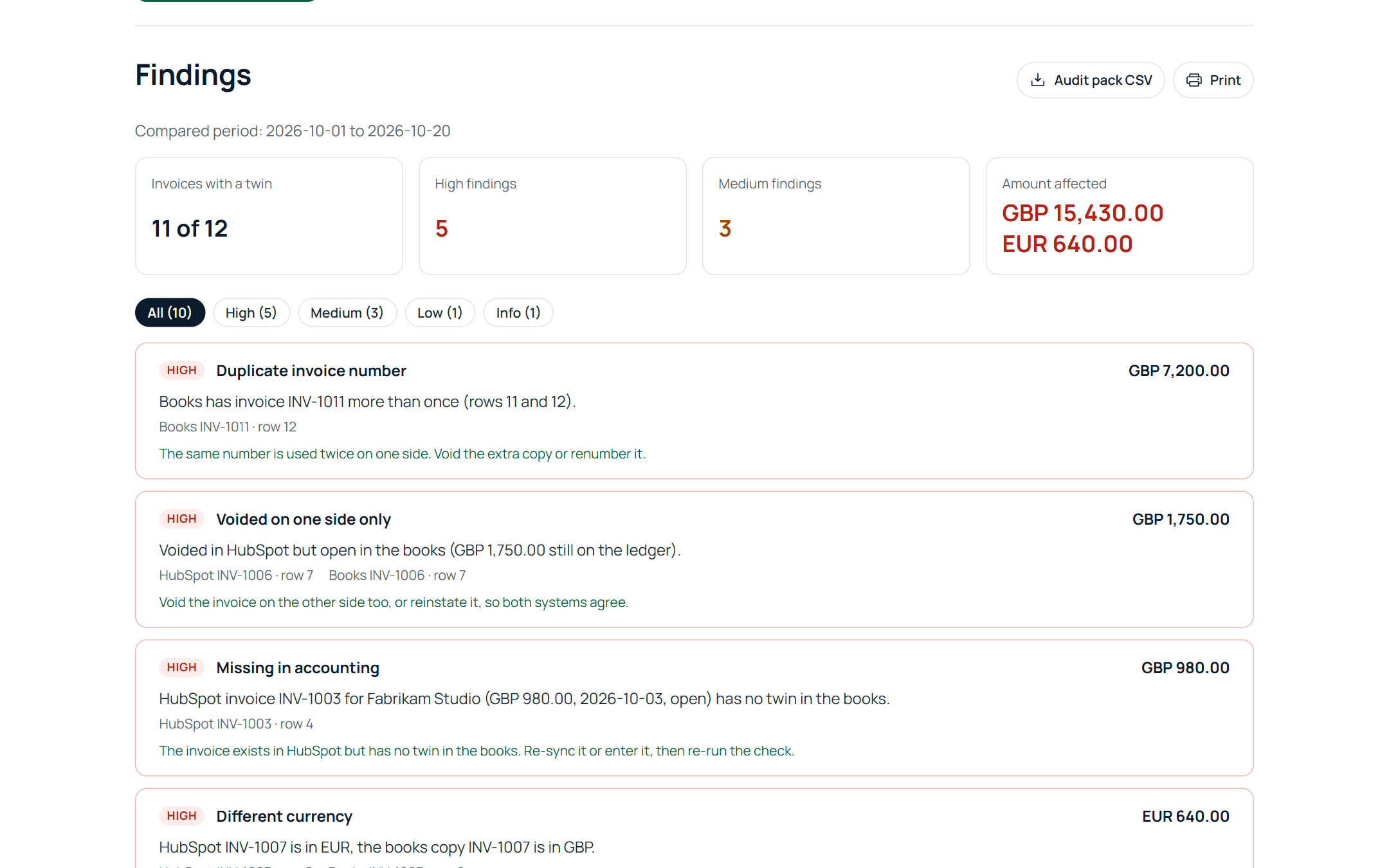
Totals are compared with a one-cent tolerance, so real differences show up and rounding noise does not. If you would rather not export, connect HubSpot and Xero read only on the check page; invoices are read for the check and not stored (what we keep).
Invoices missing entirely?
If the invoice is not in Xero at all, see HubSpot invoices not in Xero. Using QuickBooks Online instead: HubSpot to QuickBooks Online check.
Run the free check See a sample report
Free for up to 150 HubSpot invoices per run, no sign-up. Files are read in your browser and never uploaded.