Guide · updated 5 November 2026
HubSpot invoices not in Xero: how to find every missing one
When the HubSpot and Xero sync fails for one invoice, HubSpot marks that invoice but tells nobody. At month end the only reliable answer is to compare both sides invoice by invoice.
Run the free check See a sample report
Free for up to 150 HubSpot invoices per run, no sign-up. Files are read in your browser and never uploaded.
Why failed syncs go unnoticed
HubSpot shows a failed sync on the invoice record, but there is no workflow trigger for it, so no task or email is created (HubSpot Community, July 2026 answer from the community team). Reviewers of the HubSpot Xero app report invoices that stopped syncing or never synced historically (Xero Data Sync listing, rated 2.2 out of 5 when we checked on 5 November 2026).
Step 1: export the same period from both sides
- HubSpot: Commerce, Invoices, choose the view, then Export (CSV or XLSX).
- Xero: Business, Invoices, select the same dates, then Export (CSV).
Use the same date range on both sides. Invoices outside the other file's dates are reported as "outside the date range", not as missing.
Step 2: compare invoice by invoice
A spreadsheet VLOOKUP on the invoice number finds the obvious gaps but misses the rest: numbers written differently (INV-1013 and 1013), the same number used twice, a total changed after sync, a different currency or customer, an invoice voided on one side, or paid in Xero and still open in HubSpot.
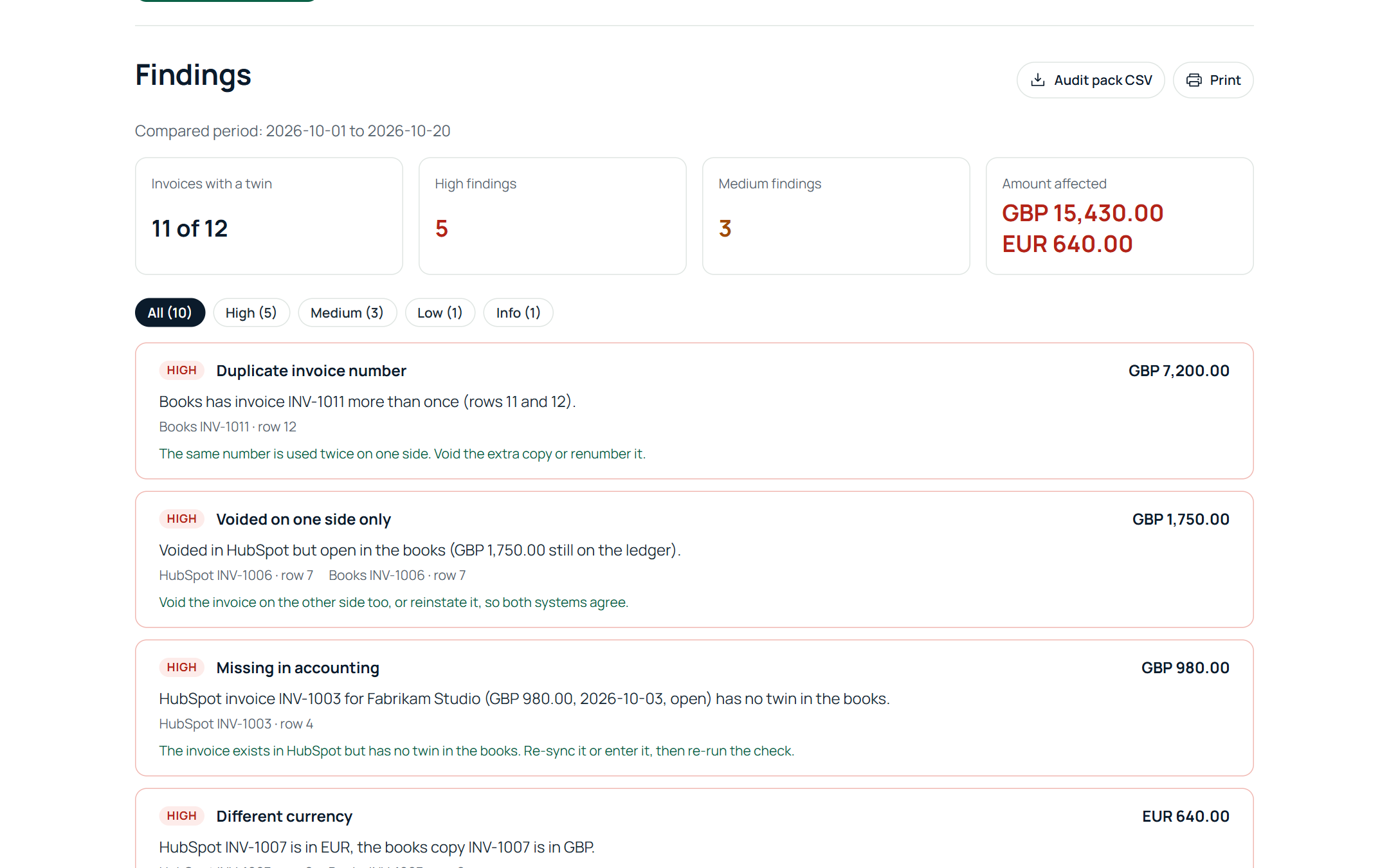
Billtwin does this in the browser: drop both exports and it matches by number, then by the digits of the number, then by reference, then by same customer, amount and date within seven days. Every difference is listed with the row on both sides and a suggested fix.
Step 3: fix and re-run
Re-sync or enter the missing invoices in Xero, correct the wrong copy where totals differ, then run the check again until only expected differences are left. Download the audit pack CSV for the close file.
Prefer not to export?
You can connect HubSpot and Xero read only on the check page instead of exporting. Invoices are read for that check and not stored; see what we keep.
Invoice is in Xero but the total, customer or status differs? See HubSpot invoices not matching Xero.
Run the free check See a sample report
Free for up to 150 HubSpot invoices per run, no sign-up. Files are read in your browser and never uploaded.